Templates and their related rules and approvals are unique to WhatsApp. This guide provides the definitions, categories, guidelines, and best practices when it comes to creating, sending, and monitoring templates.
Before you can send a business-initiated message to your WhatsApp subscribers, you need to create a template and have that template approved.
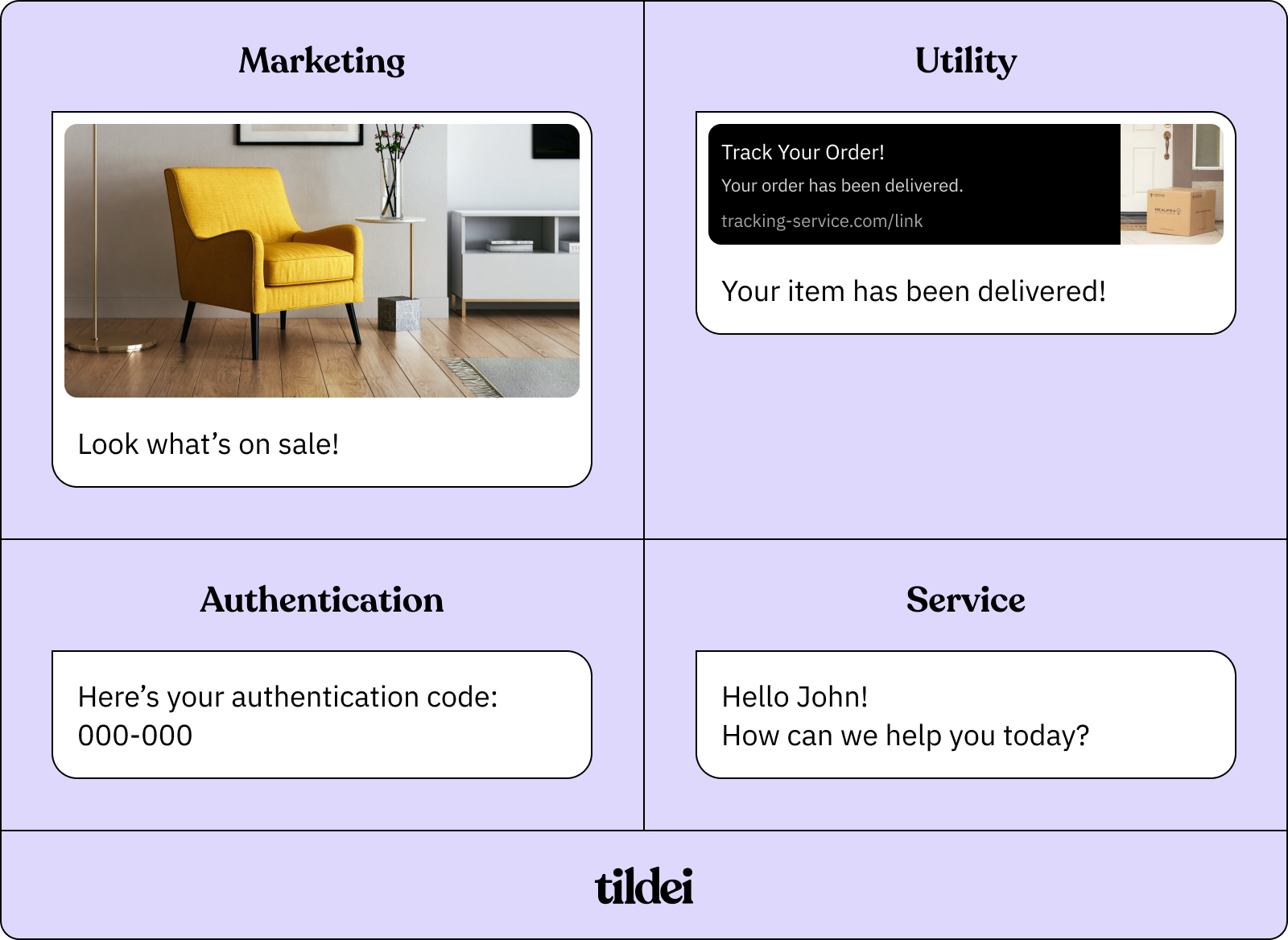
Any template that you create within WhatsApp falls within one of 4 category distinctions. You choose the category before submitting it for review and approval.
Marketing — Relates to your business, products, or services. Can include offers and promotions, product suggestions, and abandoned cart message follow-ups.
Utility — Directly related to a transaction your customers have made. Commonly includes post-purchase notifications and recurring billing statements.
Authentication — Provides users with one-time passcodes for authenticating their accounts during registration, account recovery, or other challenges.
Service — Inquiries initiated by your users. Businesses have a 24-hour window to respond. Service messages don't have to be templates.
Note: Currently, within WhatsApp, you cannot categorize a Template as a Service Message, but you can send a templated response to a customer-initiated Service Conversation.
You can find further template categorization documentation and guidelines here.